
HarmonyOS Install Clash Tutorial using ZhuoYiTong
For HarmonyOS users who want to use Clash for networking, besides using the native HarmonyOS app Clash Box, you can also install the Android version of Clash clients via ZhuoYiTong. This tutorial will detail how to use ZhuoYiTong to install and use Clash on HarmonyOS.
What is ZhuoYiTong?
ZhuoYiTong is an Android application compatibility layer tool designed for HarmonyOS, allowing users to install and run Android applications on HarmonyOS. With ZhuoYiTong, HarmonyOS users can easily install various Android versions of Clash clients without complex certificate signing processes.
Preparation
1. Download ZhuoYiTong
First, you need to install the ZhuoYiTong app on your HarmonyOS device:
| Platform | How to Get |
|---|---|
| HarmonyOS | Search for "ZhuoYiTong" (卓易通) in Huawei AppGallery and install |
2. Download Clash Client
Choose a suitable Android version of Clash client to download:
| Platform | Architecture | Description | Official Download | Fast Download |
|---|---|---|---|---|
| Clash Meta for Android |  | 🌟Recommended (Universal) | Direct | ⚡️ Fast |
 | Mainstream Phones | Direct | ⚡️ Fast | |
| FlClashX |  | 🌟Recommended | Direct | ⚡️ Fast |
Installation Steps
1. Install ZhuoYiTong
- Open Huawei AppGallery.
- Search for "ZhuoYiTong".
- Click Install and wait for the download to complete.
- Open ZhuoYiTong for the first time and follow the prompts to complete configuration.
2. Install Clash Meta for Android
- Save the downloaded Clash APK file to your phone's local storage.
- Open the ZhuoYiTong app.
- Click the "File Install" or "Local Install" button.
- Find and select the APK file you just downloaded.
- Click "Install" and wait for completion.
- After installation, you can launch the Clash app within ZhuoYiTong.
3. Get Configuration
Clash Meta for Android is just a client tool and requires initial configuration to connect to the network.
If you don't have a subscription configuration yet, learn how to choose a suitable subscription.
4. Import Configuration
- Paste the subscription address.
- Click Download Subscription.
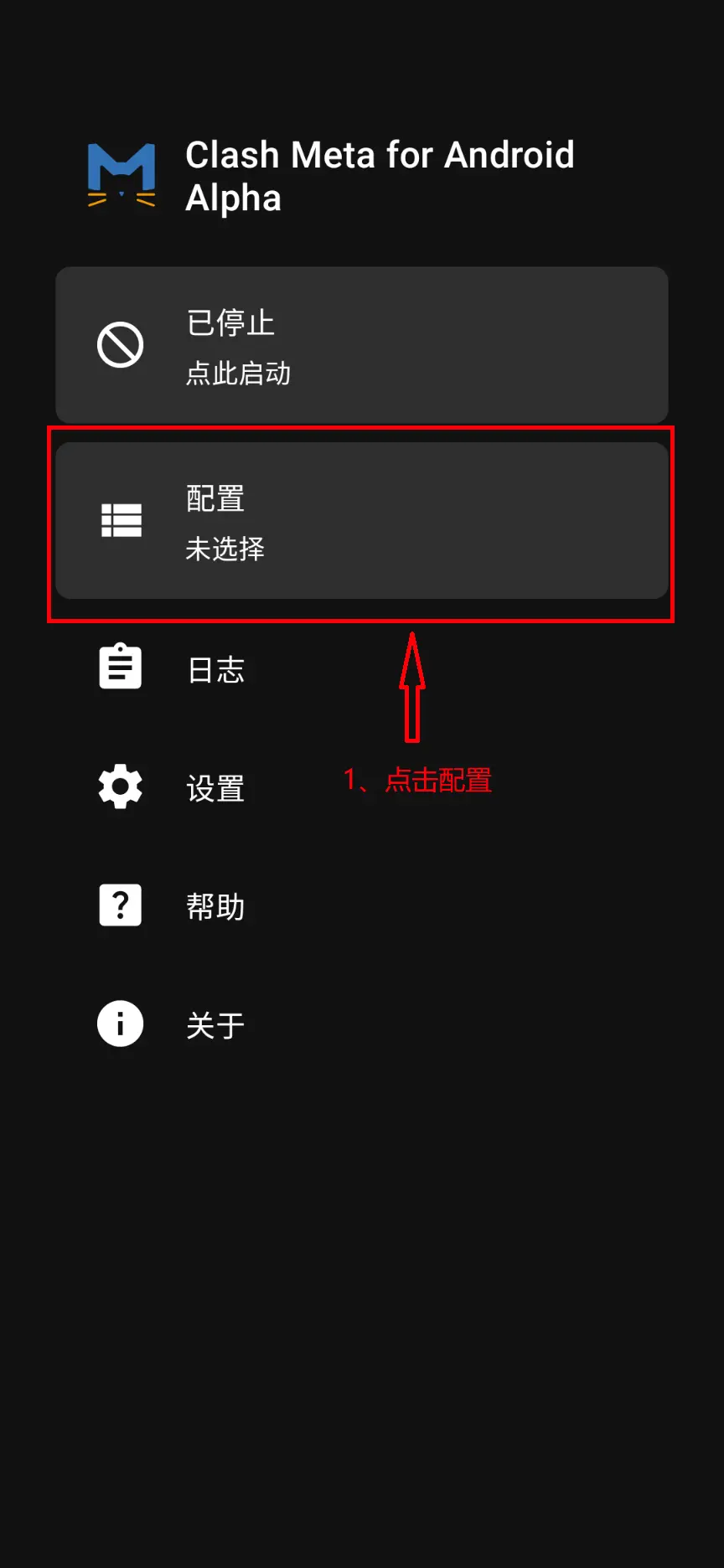
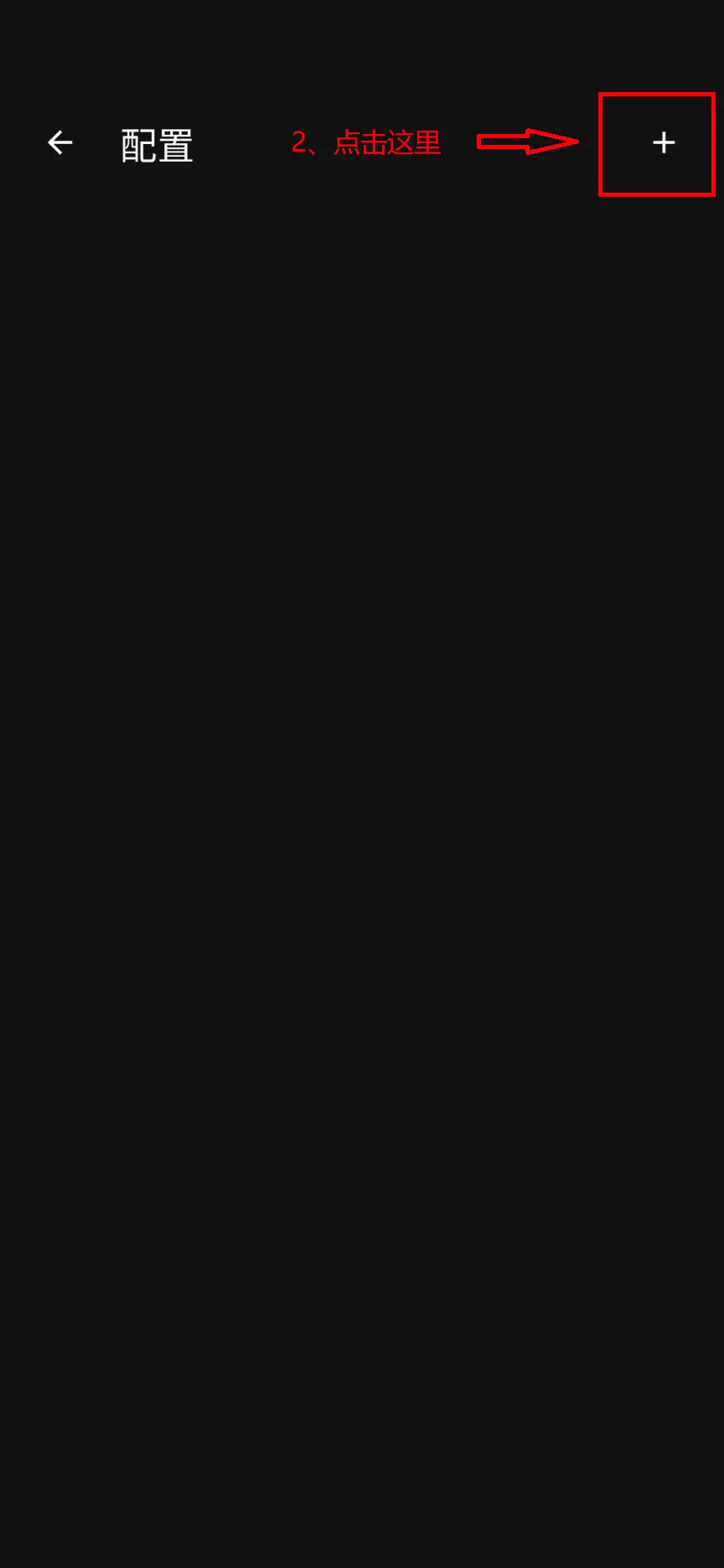
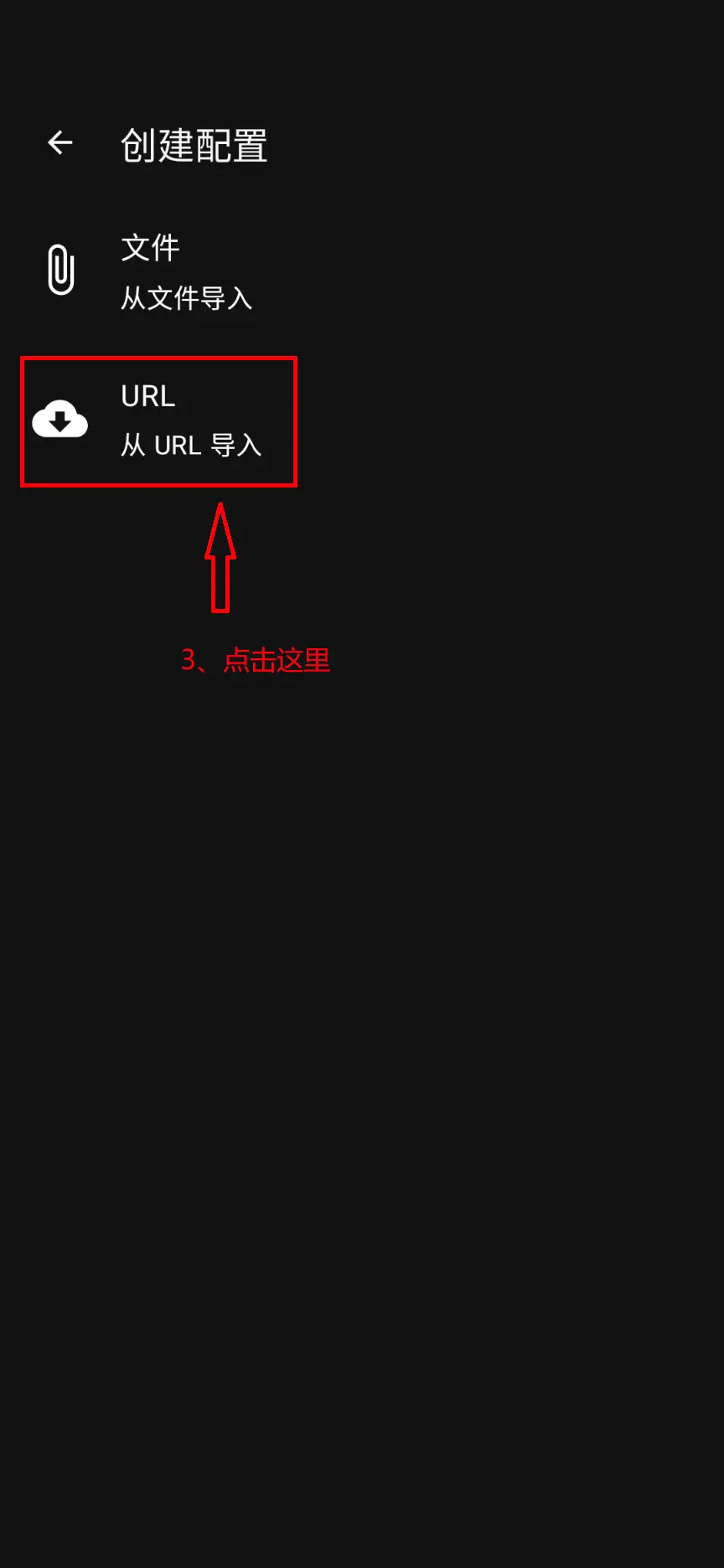
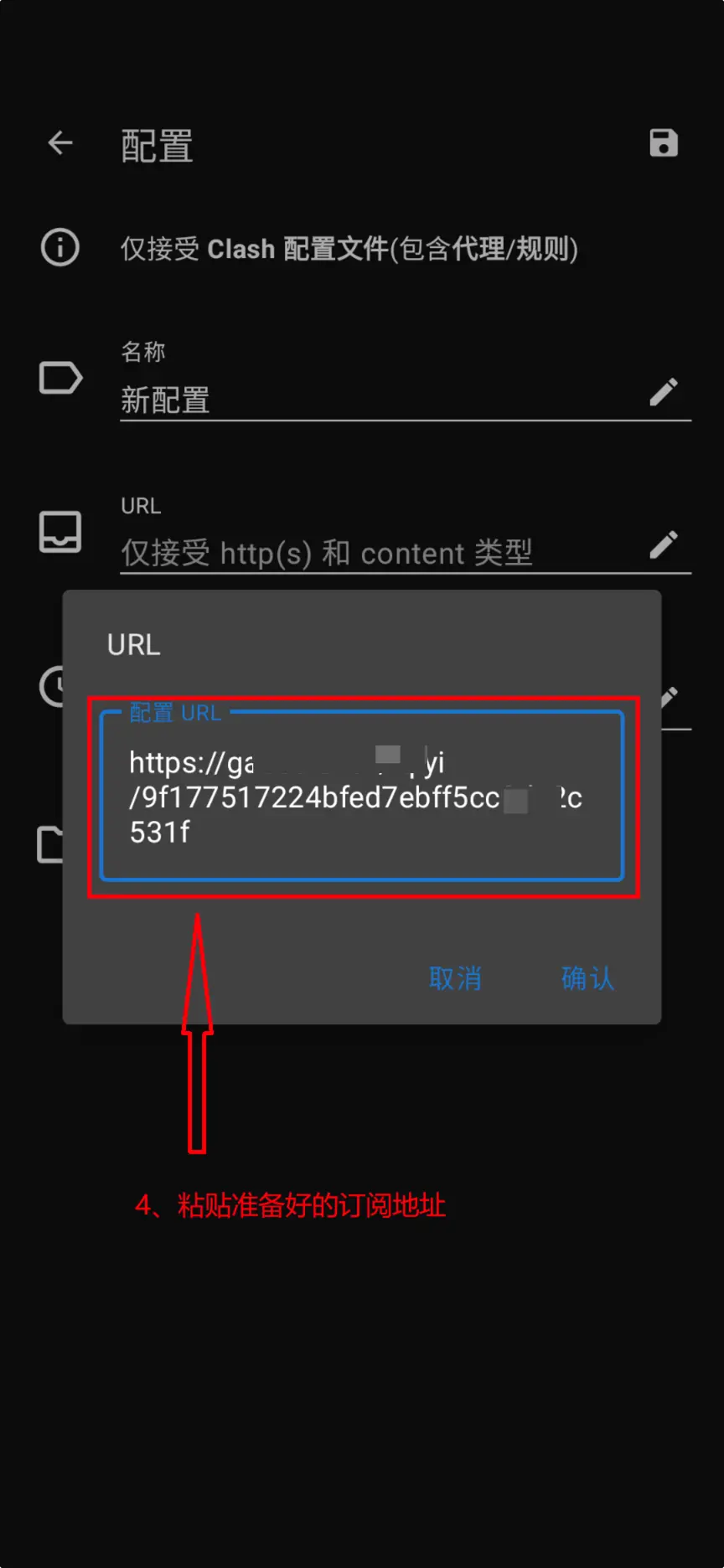
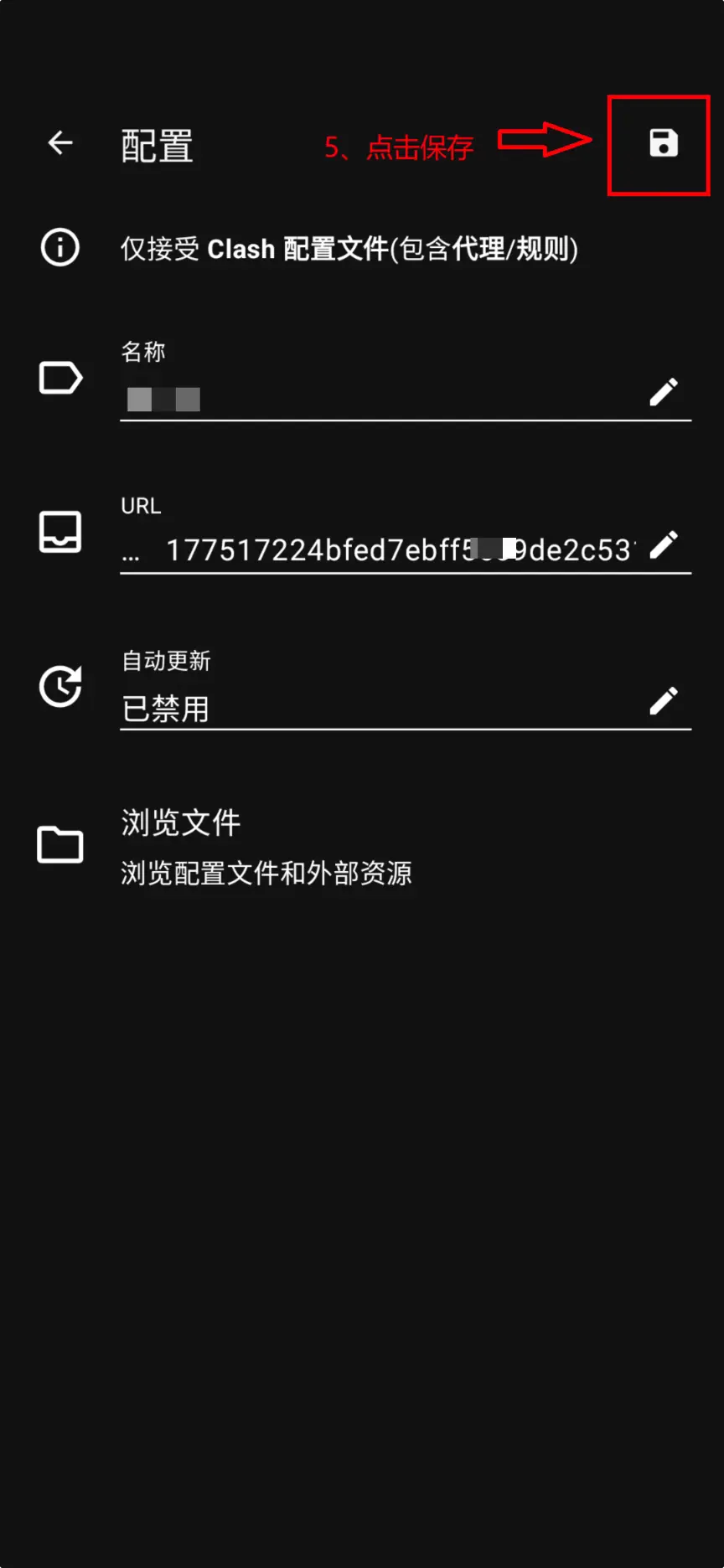
5. Start Program
- Click Start Program.
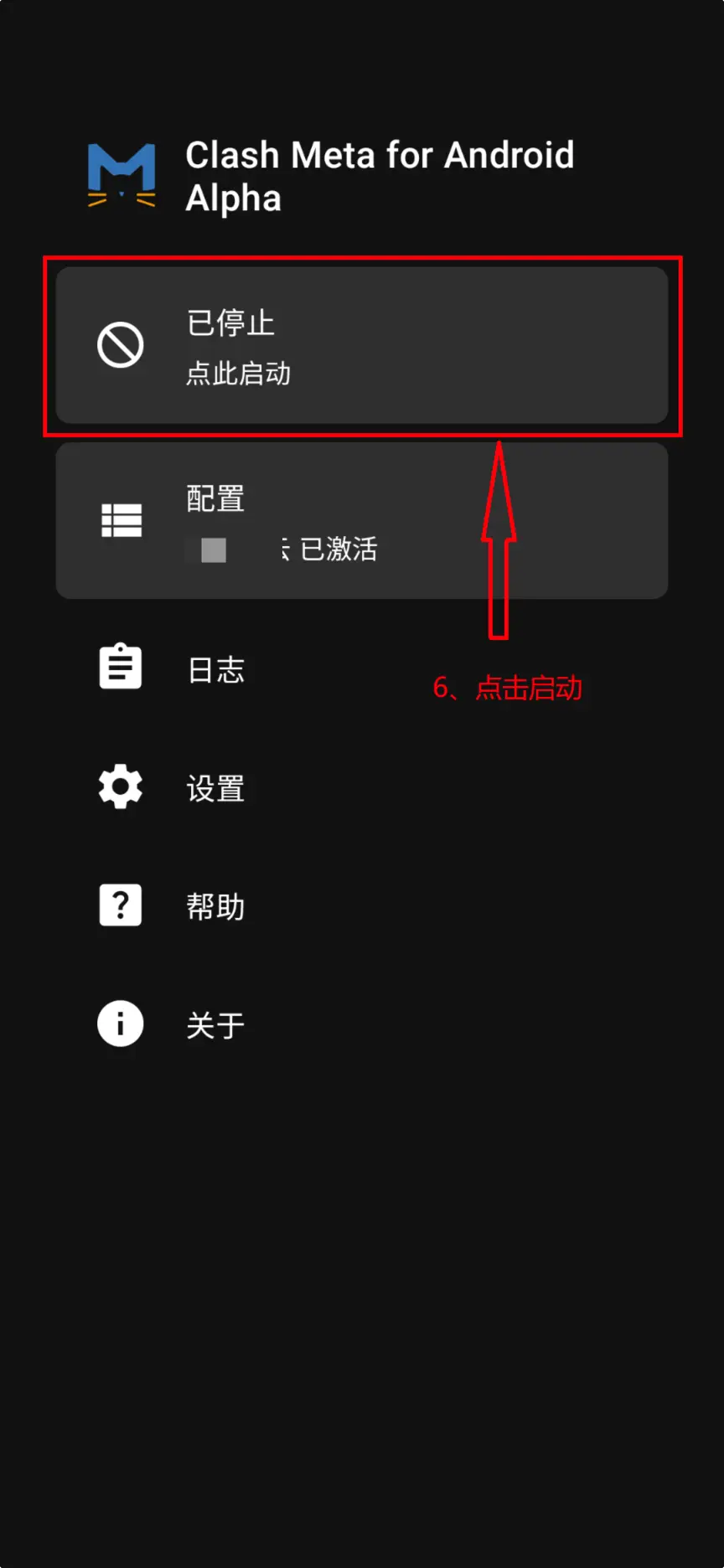
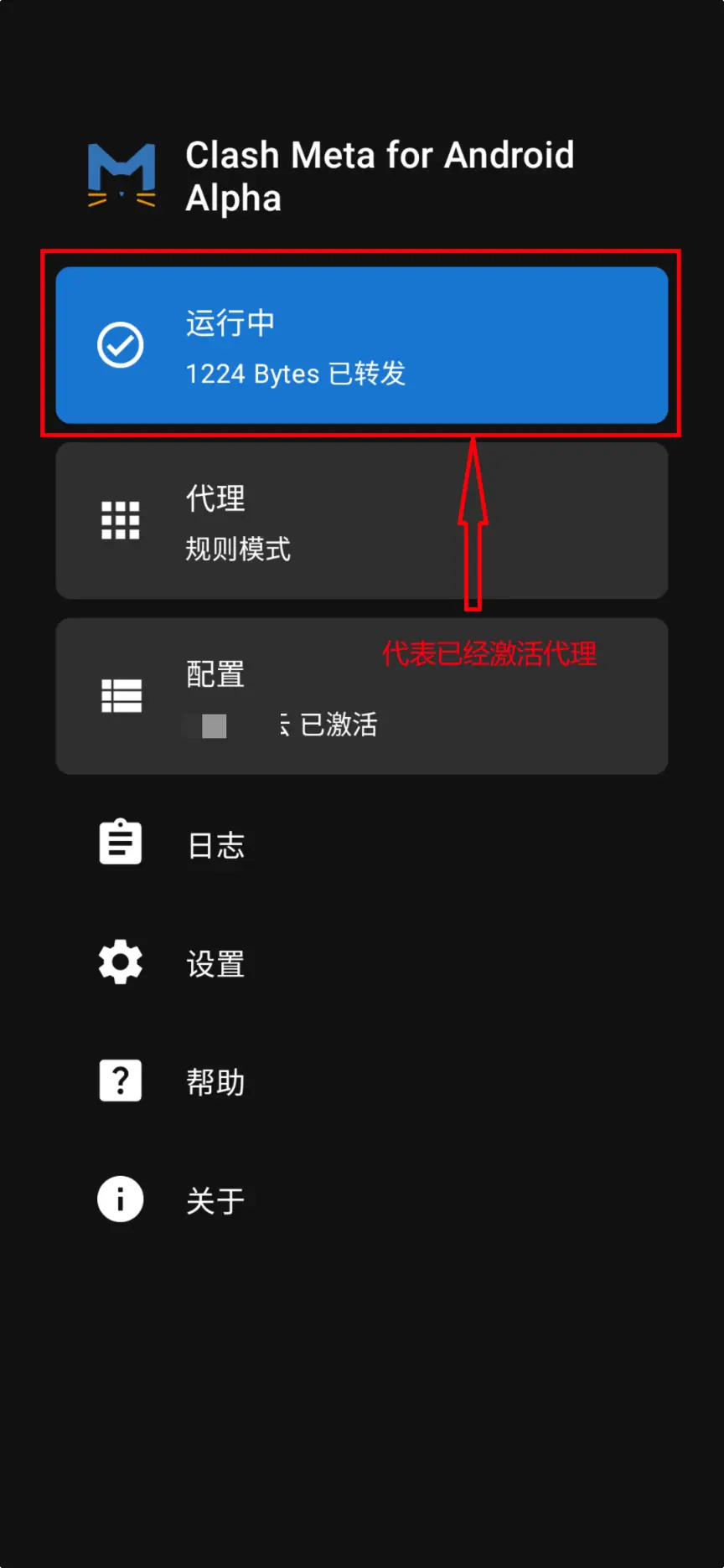
FAQ
What if APK installation fails in ZhuoYiTong?
- Check File Integrity: Re-download the APK file.
- Storage Space: Ensure sufficient storage.
- ZhuoYiTong Version: Try updating ZhuoYiTong.
- Compatibility: Try other versions of Clash clients.
Why recommend ZhuoYiTong over Clash Box?
| Comparison | ZhuoYiTong + Clash | Clash Box |
|---|---|---|
| Difficulty | ⭐ Easy | ⭐⭐⭐ Requires Self-Sign |
| Open Source | ✅ Clash Client is Open Source | ❌ Not fully open source |
| Choices | Multiple | Only Clash Box |
| Maintenance | Active Community | Single Maintainer |